

Full Game Client
Size: 1,86 GB
Full Game Client
Size: 1,86 GB
Full Game Client
Size: 1,86 GB
If you have a bug in the game font, download this
Size: 22 MB
Important Notice
We are currently using Season 21 Part 1–2, the newest MU version available.
Since this version is still awaiting official Microsoft certification, your system or antivirus
software may sometimes show a warning for the IGC.dll and game.exe files.
Don’t worry - our client files are 100% safe and do not contain any viruses or harmful software.
These warnings are false positives and can happen with newer game files.
To make sure the game runs without any problems, please add the
Crystal MU folder
to the exclusion list of
Windows Defender and any antivirus program you are using.
Thank you for your understanding, and we hope you enjoy your time in the game!
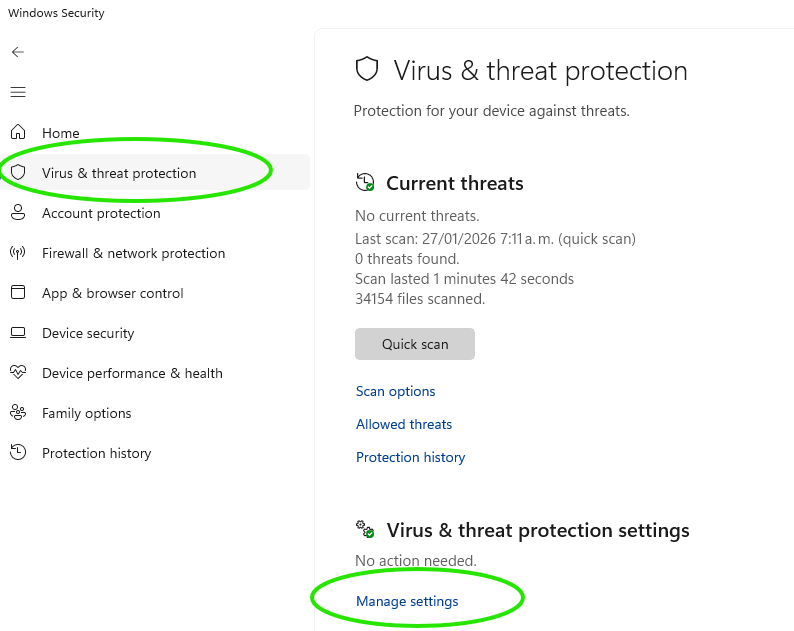
▶ Open Windows Security and go to Virus & threat protection.
▶ Click on Manage settings.
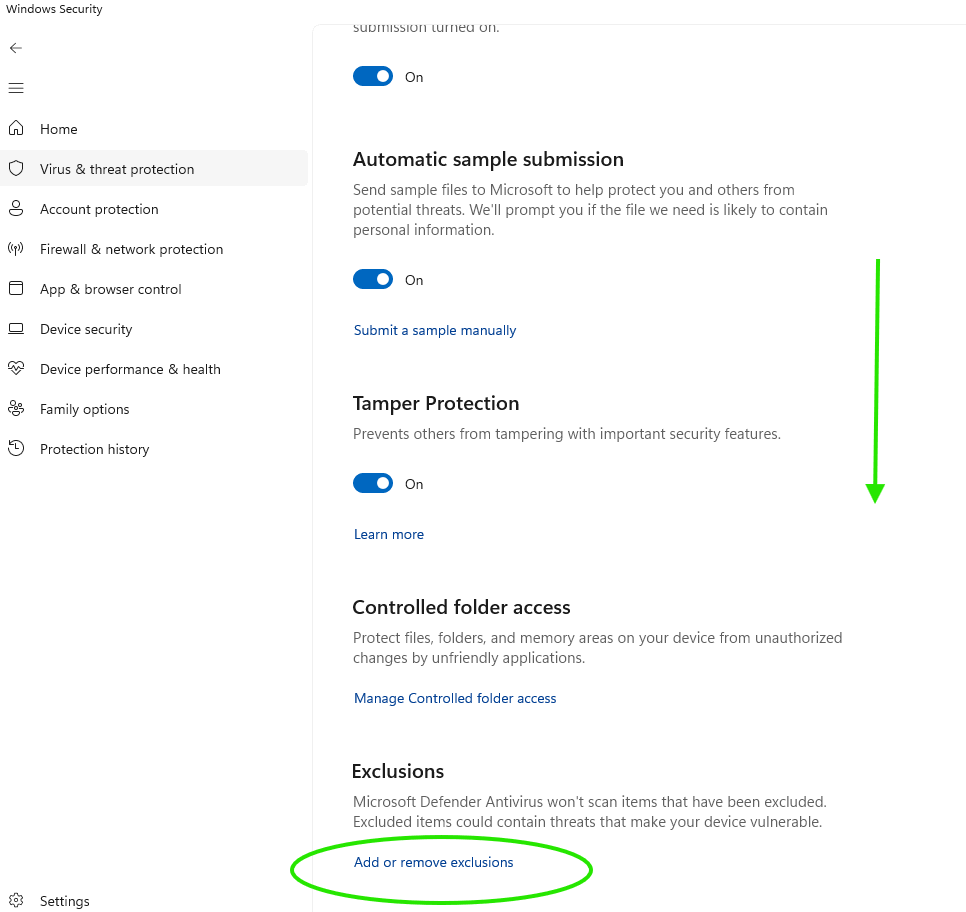
▶ Scroll down to Exclusions and select Add or remove exclusions.
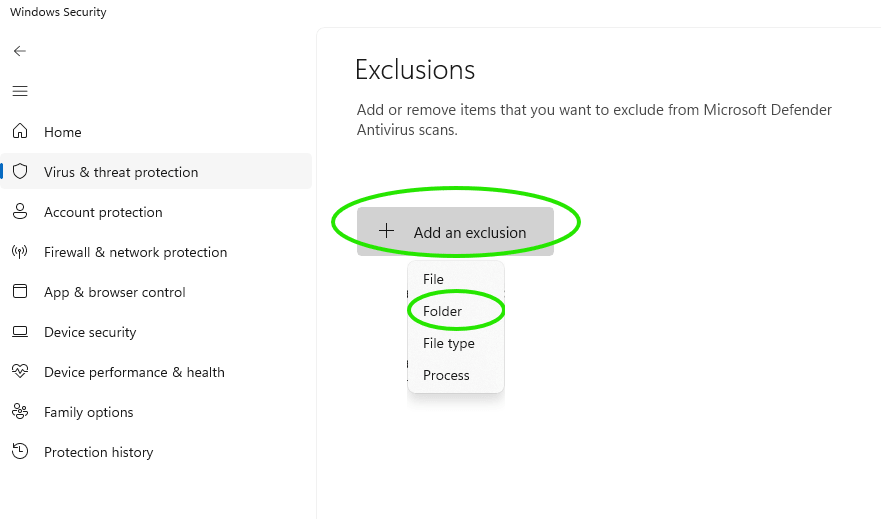
▶ Click Add an exclusion, choose Folder and locate your Crystal MU installation folder.
▶ Open Windows Security from the Start menu.
▶ Navigate to App & browser control.
▶ Open Smart App Control.
▶ If it is enabled, turn it off.

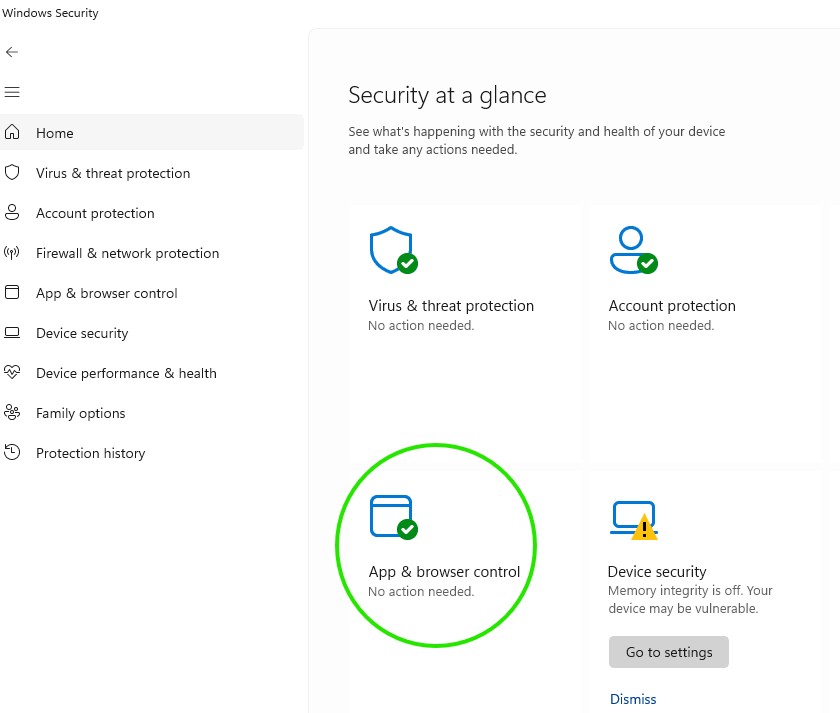
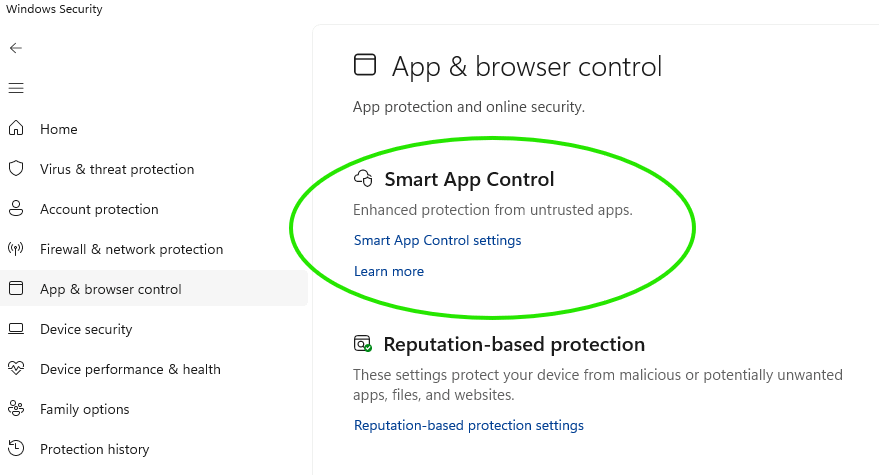
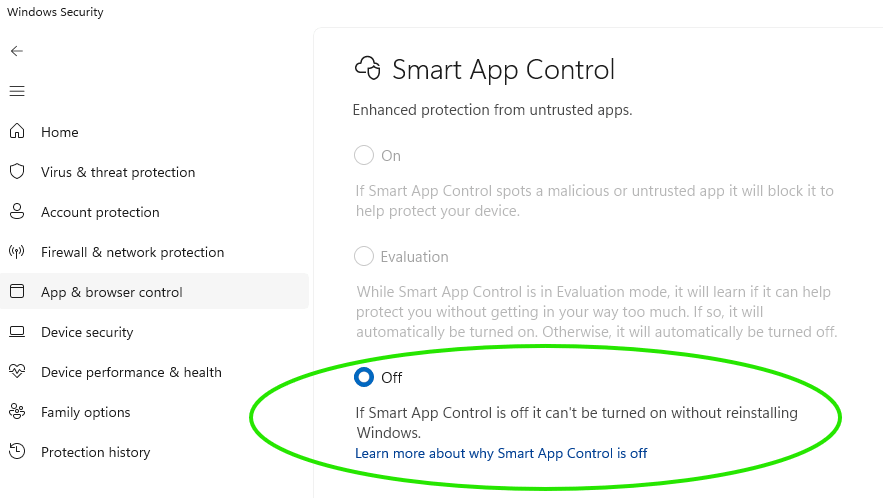
▶ Open Settings → Privacy & Security → Windows Security → App & browser control.
▶ Under Reputation-based protection, click Reputation-based protection settings. Turn Off.

▶ Start the game normally from the installation folder.
▶ The game should now run without any security warnings or blocks.
System Requirements
- MINIMUM
- Windows 7
- CPU: Pentium 3 700 Mhz
- RAM: 512 MB
- GPU: 3D graphics processor, 32 MB
- DX: DirectX 8.1a
- RECOMMENDED
- Windows 7
- CPU: Pentium 4 – 2.0 Ghz or higher
- RAM: 1 GB or higher
- GPU: 3D graphics processor, 128 MB or higher
- DX: DirectX 9.0c or higher